



The Covid-19 pandemic has led to more employees working from home than ever before. But it has also increased the number of incidents stemming from this phenomenon. In this publication, we explore how you can ensure that remote working happens effectively using Microsoft’s Remote Desktop Protocol.
The Covid-19 pandemic has led to more employees working from home than ever before. Organisations needed to quickly pivot to accommodate remote employees connecting to company networks as the situation played out in early 2020.
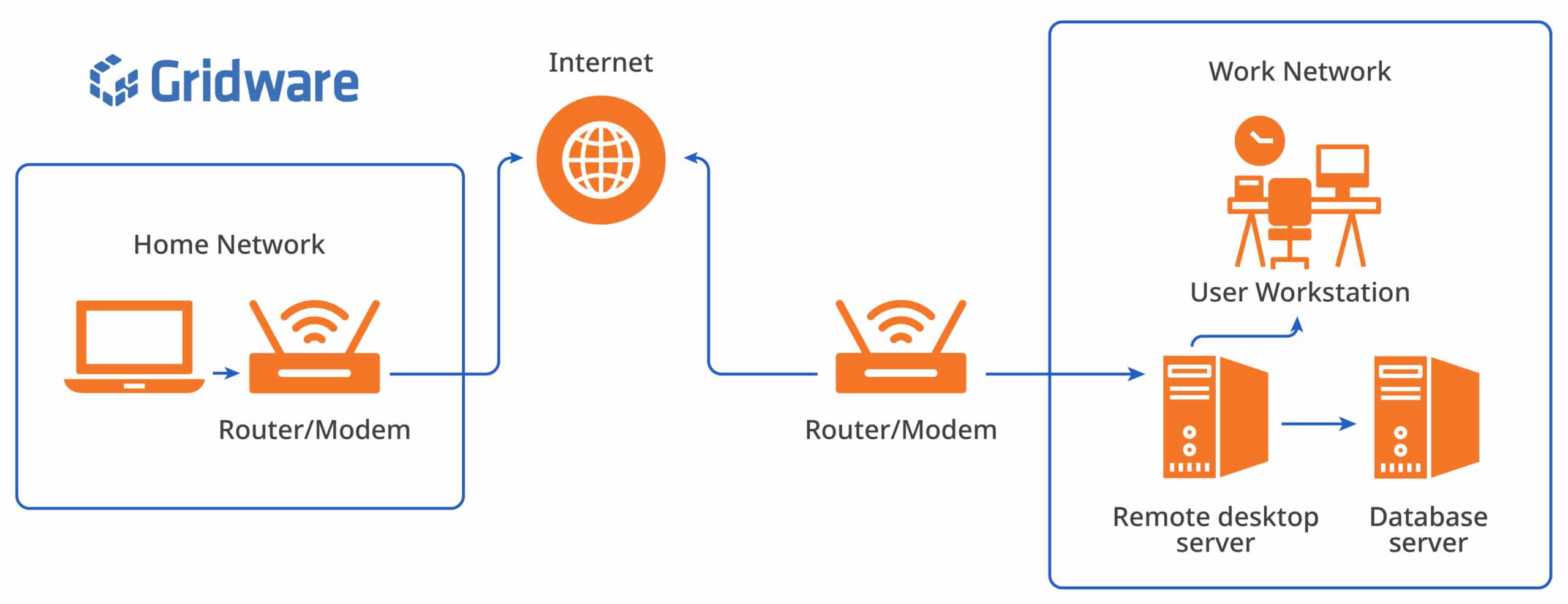
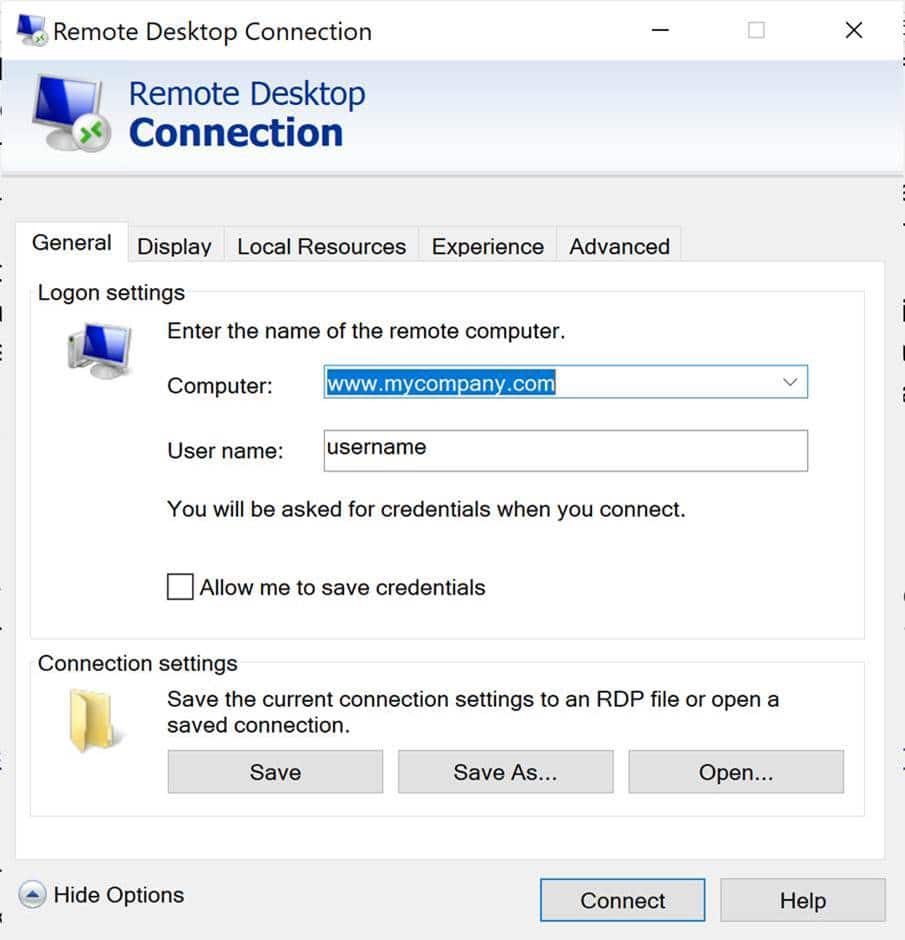
One method of allowing remote connection is to use Microsoft’s inbuilt Remote Desktop Protocol (RDP). This allows a user to login to a remote server using their normal network credentials to an interface similar to a normal Windows desktop.
For smaller organisations who outsource their IT, it also allows them to access the organisation’s network to perform upgrades, maintenance, backups. RDP comes standard with Windows and requires very minimal set up for the user to create a client/server connection.
IT teams were not prepared for the race to keep organisation’s employees online; and misconfiguration of RDP has raised some security concerns.
Gridware has recently observed an increase in company breaches via the RDP protocol that can lead to data exfiltration, ransomware, spam bots or crypto mining. Security firm ESET estimates the number of brute-force attacks targeting RDP connections has steadily increased, spiking to 100,000 incidents per day.
There are several commonly used techniques used by threat actors to access an organisation’s network via RDP.
- They can purchase RDP credentials on illicit market places for as little as a few dollars.
- They can use a Phishing attack to install malware that exfiltrates the RDP access credentials. These RDP credentials can be used or on-sold to other threat actors.
- They can search for internet facing systems with port 3389 enabled indicating RDP is present. Once identified they can then try to access the RDP server by:
- Password Spraying or brute forcing attacks
- Exploiting vulnerabilities in unpatched systems.
Recommendations to secure your RDP network
- Update and patch systems to the latest versions to eliminate vulnerable systems and applications.
- Limit the number of RDP for admin accounts, while this limits the ability for remote IT administrators, it can reduce the scope the threat actor can perform if they do manage to breach the network.
- Use zero trust and least privilege models.
- Use a firewall that can limit RDP brute force attack
- Setup a VPN on your firewall. Users can RDP via the VPN to the private address of the Remote Desktop Server. This also eliminates having to set up a Dynamic DNS (DDNS) Service to allow for changing IP address of internet facing router/modem.
- Use a firewall that can limit RDP access to geographically secure locations, If no staff are travelling out of state or the country there is no reason to allow foreign IPs to access the RDP.
- Turn off or time limit when RDP servers are operating such as when the company is closed for holidays. In a recent case, the threat actor accessed the company system on December 30 and was not noticed until 5 days later, by that time the network infrastructure was infected with ransomware and critical servers encrypted. To avoid detection threat actor will often penetrate networks over holiday periods or when most staff have logged off.
- Turn on all RDP logging and redirect the logs to external locations. Monitor and set up alerts for failed user logins. While this does not prevent breaches it can be used to monitor for login attempts and when and where the breach came from. Having this remotely stored allows the logs to not be wiped by the threat actor.
- Limit the number of login attempts to a user account. Lockout the account if necessary.
- Remove inactive accounts and user accounts when users leave the organisation.
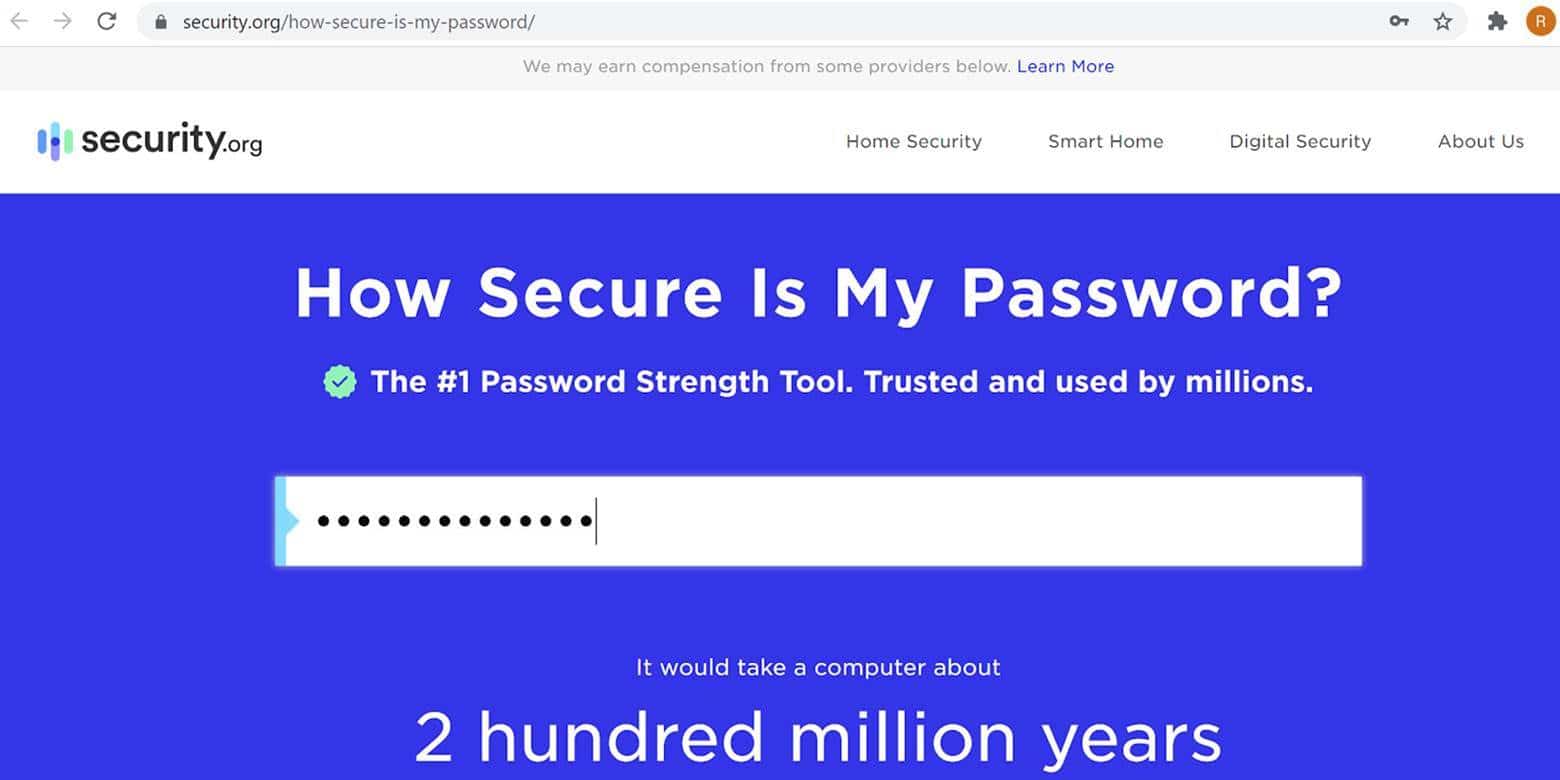
- Use long, unique strong passwords which includes a combination of letters, numbers, and characters. You can check your password strength at https://www.security.org/how-secure-is-my-password/. Using a four word phrase, special character and number would take 2 x10⁸ years to brute force. Use a password manager and implement multifactor authentication.